
Screenshots

App details
- Updated
- Feb 17, 2006
- Language
- English
- Category
- Mobile
SoftPas in:
This product is also available in the following languages:
About Electronic Cosmos Mpeg Suite
Download Electronic Cosmos Mpeg Suite – convert audio, audio converter, mp3 converter, wav to mp3, mp3 to wav
Overview
Electronic Cosmos Mpeg Suite is a compact audio conversion utility designed to streamline the process of transforming audio files between popular formats such as MP3 and WAV. Developed by Electronic Cosmos, the software offers a straightforward solution for users seeking to optimize audio files for playback on various devices. While not a feature-rich multimedia suite, it fulfills a specific and practical need: efficient, no-frills audio format conversion. The application is particularly useful for individuals managing digital music libraries, preparing audio for portable devices, or adjusting file quality to balance between sound fidelity and storage space. Its target users include casual listeners, digital audio enthusiasts, and anyone requiring a simple tool to handle basic audio file transformations. Despite its release in 2006, the software remains relevant in niche scenarios where lightweight, dedicated tools are preferred over bloated multimedia platforms. The developer did not provide additional technical details about the software’s architecture or future development plans. However, its continued presence in user discussions suggests it has maintained a functional and reliable reputation over time. In the broader app ecosystem, it serves as a testament to the enduring value of focused, utility-driven software.
Key Features & Functionality
- Multiple Format Support: The suite enables conversion between WAV and MP3 formats, allowing users to switch between uncompressed and compressed audio files as needed. This flexibility supports both high-fidelity preservation and efficient storage.
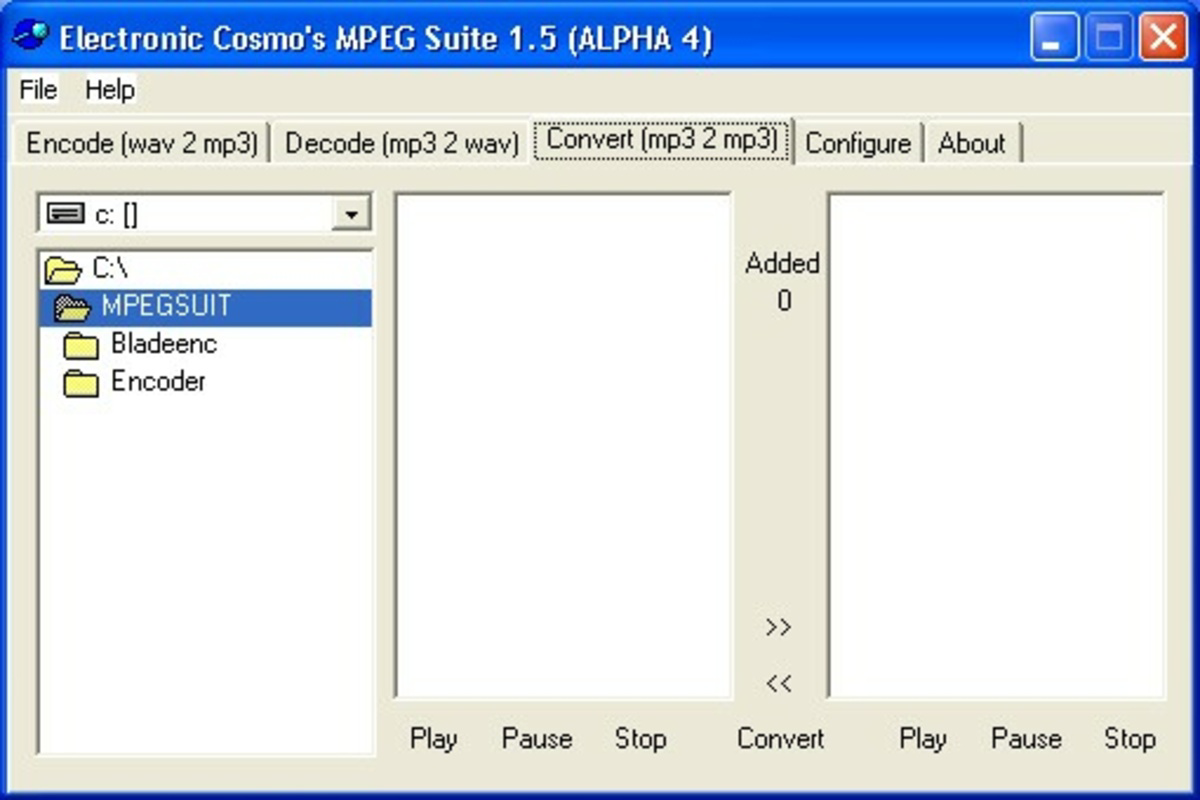
- User-Friendly Interface: Designed with simplicity in mind, the interface allows users to load files, select output formats, and initiate conversions with minimal steps. Even users unfamiliar with audio editing can complete tasks without confusion.
- Adjustable Bit Rate: Users can customize MP3 output quality by selecting bit rates ranging from 48 Kbit/s to 320 Kbit/s. This feature supports use cases such as low-bandwidth streaming or high-quality audio playback.
- Stereo Option: The software provides the ability to choose stereo or mono output, enabling users to reduce file size for mono content or maintain spatial audio quality when required.
- Maximize Storage Capacity: By adjusting quality settings, users can compress audio files to fit more tracks on devices with limited storage, making it ideal for older MP3 players or devices with constrained memory.
For example, a user with a large collection of WAV files can convert them to MP3 at 128 Kbit/s to save space on a portable player. Similarly, someone preparing audio for a podcast might convert a stereo WAV recording to mono MP3 to reduce file size without sacrificing intelligibility. These practical applications highlight the software’s value in real-world workflows.
Interface, UX & Performance
The interface of Electronic Cosmos Mpeg Suite reflects a minimalist design philosophy, prioritizing clarity and ease of access. Navigation is linear and predictable, with essential controls—file import, format selection, bit rate adjustment, and conversion initiation—positioned within a compact window. Visual cues are minimal but effective, ensuring users can identify active tasks and progress without distraction. The application’s performance is consistent with its lightweight footprint: at just 1.5 MB, it loads quickly and consumes minimal system resources. Although the developer did not list formal performance metrics, the software operates smoothly on older Windows systems, suggesting optimized code execution. Responsiveness is adequate for single-file conversions, though batch processing capabilities were not specified. Stability appears reliable, with no widespread reports of crashes or data corruption. However, compatibility with modern Windows versions was not fully disclosed. Users on newer operating systems may encounter challenges, though the software’s simplicity suggests it may still function in compatibility modes. Overall, the UX is suitable for users seeking a no-nonsense audio conversion tool without advanced editing features.
Platform Compatibility & Technical Requirements
Electronic Cosmos Mpeg Suite is designed for the Windows platform and was released on February 17, 2006. The application has a file size of 1.5 MB, making it suitable for systems with limited storage. The software version is 1.0, indicating it has not undergone significant updates since its initial release. Specific requirements such as minimum OS version, processor architecture, or RAM specifications were not listed by the developer. As a result, compatibility with current Windows versions (e.g., Windows 10 or 11) cannot be confirmed. The developer did not provide information on whether the software supports 64-bit systems or newer API standards. Users are advised to test the application in a safe environment before deployment on critical systems. Despite its age, the small size and simple functionality may allow it to run on legacy hardware or virtual machines. For those seeking a lightweight audio conversion tool, the lack of modern system requirements could be seen as both a benefit and a limitation.
Pros and Cons
Pros
- Lightweight at just 1.5 MB, ideal for older or low-resource systems.
- Simple, intuitive interface suitable for beginners and non-technical users.
- Supports common audio formats including WAV and MP3.
- Offers customizable bit rate settings for quality and storage control.
- Free to download and use, with no hidden costs or in-app purchases.
Cons
- Released in 2006; may lack compatibility with modern Windows operating systems.
- No batch conversion functionality was mentioned in available documentation.
- Does not support advanced audio editing features such as trimming or effects.
- Developer did not provide updated technical specifications or support channels.
- File size and feature set suggest limited scalability for professional use.
FAQ
Is Electronic Cosmos Mpeg Suite safe to download and install?
The software is free and does not include known malware. However, as it is no longer actively maintained, users should scan the file with antivirus software before installation.
Can I convert multiple files at once?
Specific information about batch processing was not provided. The software may support single-file conversion only.
Is the app compatible with Windows 10 or Windows 11?
Compatibility with newer Windows versions was not confirmed by the developer. Users may need to run the software in compatibility mode or test it in a virtual environment.
Does the software support other audio formats besides MP3 and WAV?
Based on available information, the software primarily supports MP3 and WAV conversions. Support for formats like AAC, FLAC, or OGG was not indicated.
How do I update the software?
As the software version is 1.0 and no update mechanism or release history was provided, updates are not currently available. Users should rely on the original release unless alternative versions are distributed through trusted sources.
Final Thoughts
Electronic Cosmos Mpeg Suite remains a niche but functional tool for users who need a reliable, no-cost solution for converting audio between WAV and MP3 formats. Its lightweight design, simple interface, and adjustable quality settings make it a practical choice for managing audio files on older or resource-constrained systems. While it lacks modern features such as batch processing, advanced editing, or support for newer file formats, its core purpose is fulfilled with minimal friction. It is best suited for individuals who value simplicity and do not require extensive multimedia capabilities. For those seeking a straightforward audio conversion utility without the complexity of larger software suites, this tool offers a viable, low-risk option. Despite its age, its continued relevance underscores the lasting utility of well-designed, focused applications. Download Electronic Cosmos Mpeg Suite now to manage your audio files with ease.
Guides & Tutorials
How to install Electronic Cosmos Mpeg Suite
- Click the Download button above.
- Once redirected, accept the terms and click Install.
- Wait for the Electronic Cosmos Mpeg Suite download to finish on your device.
How to use Electronic Cosmos Mpeg Suite
This software is primarily used for its core features described above. Open the app after installation to explore its capabilities.
User Reviews
No reviews yet. Be the first to share your experience.
You may also like
more
Que no te pillen¡
About !Que no te pillen¡Reviewed by Jason A. BilbreyShow MoreShow Less

3D Combat Zone
About 3D Combat ZoneOriginally released in 1983, 3D Combat Zone immerses players...

666: El día del portal
About 666: El día del portalOn June 6, 2006, Agent P. Stone uncovers a sinister...

80 in 1 Best Flash games
About 80 in 1 Best Flash games 80 in 1 Best Flash games is a collection of 80 fl...

ABYSS SEEKERーーWhat Do You See Deep in The Abyss
About ABYSS SEEKERーーWhat Do You See Deep in The AbyssIn ABYSS SEEKER, players...

ACA NEOGEO THE KING OF FIGHTERS 2002 for Windows
About ACA NEOGEO THE KING OF FIGHTERS 2002 for WindowsTHE KING OF FIGHTERS 2002,...